

Troubleshooting Reminder Service - Failing to Start
- The service did not start due to logon failure
You receive this error message when starting the SharePoint Reminder Service
Could not start the SharePoint Reminder Service service on Local Computer. Error 1069: The service did not start due to a logon failure.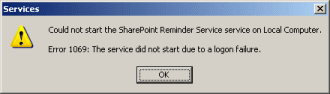
-
The account doesn't have Log on as a Service permissions
-
You entered an invalid account or password on the Log On As dialog
-
The account you first entered has since been deleted, disabled or the password has changed
-
- The service started then stopped
If you start the SharePoint Reminder service but a few minutes later notice in Services.msc that is has entered a stop state then please check the Windows Application Event Log for further information on the problem that stopped the service from starting - see below for some common causes.
- Access to the path * is denied.
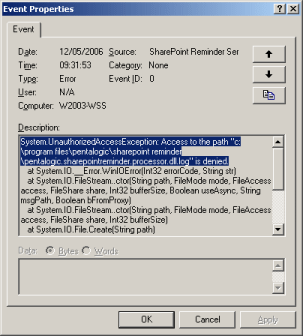
If the event log contains the following error
System.UnauthorizedAccessException: Access to the path
				"c:\program files\pentalogic\sharepoint reminder\..."
				is denied.
The SharePoint Reminder service doesn't have permission to read and write to files in the install directory such as the configuration file and logging file.
Follow the steps outlined here to ensure that the appropriate permissions are granted.
- Unable to enter url in registry.
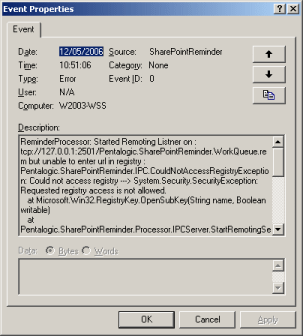
If the event log contains the following error
ReminderProcessor: Started Remoting Listner on : tcp://127.0.0.1:2501/
				Pentalogic.SharePointReminder.WorkQueue.rem but unable to enter
				url in registry : Pentalogic.SharePointReminder.
				IPC.CouldNotAccessRegistryException: Could not access registry
				---> System.Security.SecurityException: Requested registry
				access is not allowed.
The SharePoint Reminder Service needs to communicate to the Web Parts which TCP/IP port to use for communications. As the port is chosen at startup from a list of unused ports this information needs to be written into the registry.
Follow the steps outlined here to ensure that the appropriate permissions are granted.
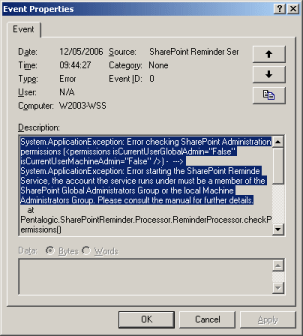
- Error checking SharePoint Administration permissions.
If the event log contains the following error
System.ApplicationException: Error checking SharePoint
				Administration permissions (<permissions
				isCurrentUserGlobalAdmin="False" isCurrentUserMachineAdmin="False"
				/>) - ---> System.ApplicationException:
Error starting the SharePoint Reminde Service, the account the service runs under must be a member of the SharePoint Global Administrators Group or the local Machine Administrators Group. Please consult the manual for further details.The SharePoint Reminder Service needs to be assigned SharePoint Administration permissions in order to function.
Follow the steps outlined here to ensure that the appropriate permissions are granted.
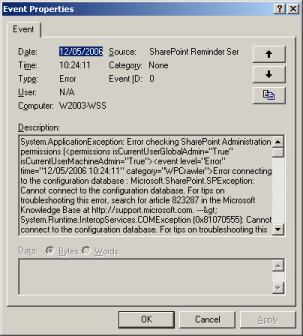
- Cannot connect to the configuration database.
If the event log contains the following error
System.ApplicationException: Error checking SharePoint
				Administration permissions (<permissions
				isCurrentUserGlobalAdmin="True" isCurrentUserMachineAdmin="True"><event
				level="Error" time="12/05/2006 10:24:11" category="WPCrawler">
Error connecting to the configuration database : Microsoft.SharePoint.SPException: Cannot connect to the configuration database.the SharePoint Reminder Service account needs to be given permission to access any SQL Server hosted configuration and content databases.
Follow the steps outlined here to ensure that the appropriate permissions are granted.