


Troubleshooting Reminder Service - Event Log Errors
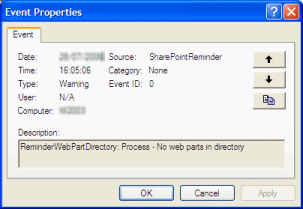
- Warning - No Web Parts in directory
You receive this error message in the event log.
ReminderWebPartDirectory: Process - No web parts in directory
The SharePoint Reminder Service can't find any web parts to process. It may be that you have not yet added a Reminder web part to a page and configured it. If not then the Service can't find it due to a configuration problem - please check the Event Log for some of the errors listed below.
- Access Denied - HTTP status 401, Unauthorized
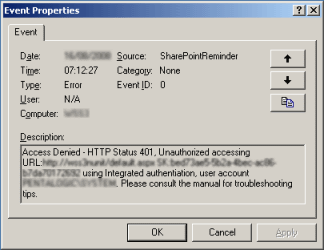
You receive this error message in the event log.
Access Denied - HTTP Status 401, Unauthorized accessing URL: http://<Your Site> SK:<Your Guid> using Integrated authentication, user account NT AUTHORITY\SYSTEM. Please consult the manual for troubleshooting tips.
Please see this page for further information on troubleshooting 401 Unauthorized errors

- Could not find the URL <your
url>
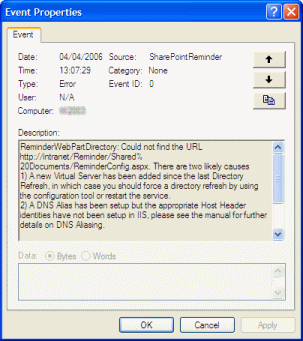
If you see the following error message in the Event Log then it is likely that you have this configuration problem.
ReminderWebPartDirectory: Could not find the URL <Your Page URL>. There are two likely causes
1) A new Virtual Serve ahs been added since the last Directory Refresh, in which case you should force a directory refresh by using the configuration tool or restart the service.
2) A DNS Alias has been setup but the appropriate Host Header identities have not been setup in IIS. Please see the manual for further details on DNS Aliasing.
- System.UnauthorizedAccessException
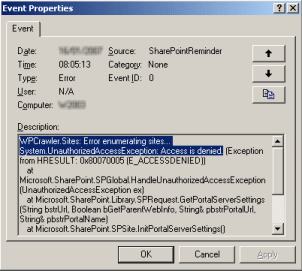
You receive this error message in the event log.
WPCrawler.Sites: Error enumerating sites...

					System.UnauthorizedAccessException: Access is denied.
If you are running WSSv3 (SharePoint 2007) then please ensure you have followed these steps to give the account that the SharePoint Reminder Service runs under access to your SharePoint web applications.
- Could not
establish a trust relationship with the remote server when using SSL
(HTTPS)
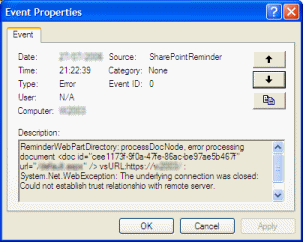
You receive this error message in the event log.
ReminderWebPartDirectory: processDocNode, error processing document <doc id="cee1173f-9f0a-47fe-86ac-be97ae5b467f" url="/<your page>.aspx" /> vsURL:https//<your virtual server>/
System.Net.WebException: The underlying connection was closed: Could not establish trust relationship with remote server.
- A servce pack has been installed but your virtual server has not
been updated
You receive this warning message in the event log.
The virtual server <your virtual server> has not been updated with the latest service pack and will not be processed. Please check the SharePoint Central Administration screen for further information
This occurs if you have installed a service pack but the installation has not completed. Please check the SharePoint Central Administration > Virtual Server List which will show "Upgrade" next to any virtual server who's upgrade still needs to be completed.
- You are using WSS2 or SPS 2003 but don't have at least SP2
installed
You receive this warning message in the event log.
WPCrawler.Sites: Error in listVirtualServers : System.TypeLoadException: Could not load type Microsoft.SharePoint.Administration.SPAlternateUrlCollection from assembly Microsoft.SharePoint, Version=11.0.0.0, Culture=neutral, PublicKeyToken=71e9bce111e9429c
You need to have at least WSS2 SP2 installed.
- The web part has been closed but not deleted and can not be
processed
You receive this warning message in the event log.
ReminderWebPartDirectory: The SharePoint Reminder Web Part on page http://<YourServer>/<YourPage>.aspx (GUID:<WebPart GUID>) has been closed but not deleted and can not be processed. Please see the manual for information on how to delete the unused web part.
This occurs if you have closed rather than deleted a SharePoint Reminder Web Part.
This page explains how to delete a closed web part.
- Started Remoting Listener ... but unable to enter url in
registry
You receive this warning message in the event log.
Started Remoting Listener on : tcp://127.0.0.1:xxxx/Pentalogic.SharePointReminder.WorkQueue.rem but unable to enter url in registry. Please see manual for required permissions.
The user account the service runs under does not have sufficient permissions.
- Error in saveInUseFile - please see the manual for the required
permissions
You receive this warning message in the event log.
Error in saveInUseFile - please see the manual for the required permissions : System.UnauthorizedAccessException: Access to the path 'C:\Program Files\Pentalogic\SharePoint Reminder\InUseFile.xml' is denied.
The user account the service runs under does not have sufficient permissions.
- This version of SharePoint Reminder does not match the version
of SharePoint you are using
You receive this warning message in the event log.
Error checking SharePoint Administration permissions : System.ApplicationException: This version of SharePoint Reminder (WSS3) does not match the version of SharePoint you are running
Please remove Reminder and re-install the correct version.
-
System.TypeInitializationException
You receive this error message in the event log.
System.TypeInitializationException: The type

					initializer for 'Pentalogic.SharePointReminder.Processor.ReminderProcessor'

					threw an exception. ---> System.ApplicationException: Error

					checking SharePoint Administration permissions (System.IO.FileNotFoundException:

					File or assembly name Microsoft.SharePoint, or one of its

					dependencies, was not found. File name: "Microsoft.SharePoint"
If you have upgraded to WSSv3 (SharePoint 2007) then please ensure you have followed these steps to install the correct version of SharePoint Reminder.