


Email Subject and Message
This section allows you to configure the contents of the email in a Rich Text Editor (only available for WSS3/MOSS2007, SP 2010 and SP 2013)
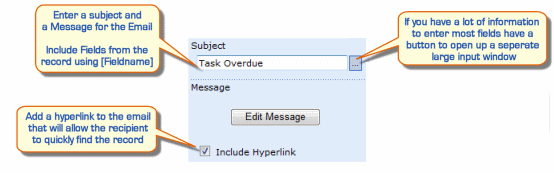
|
|---|
Adding fields to the Subject and Message
You can include fields from your List by using the notation [Display Name] in the text.
You can enter these fields manually or use the dropdown box on the bottom left shows the available fields and you can insert a field at the current cursor position using the button.
For example if you enter the following in the web part configuration - the email that is generated may look like this.
|
|
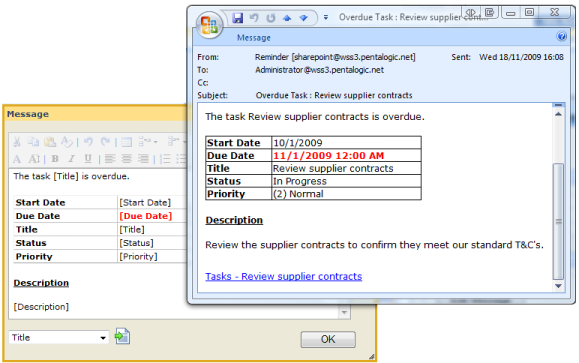
If the generated email still contains the field name you entered, e.g. "[Title]" then it is because SharePoint Reminder could not find a matching field, so please check you have entered the field name correctly (its case sensitive).
This page shows how you can customise the Url used.